Friday, November 2, 2012

Mike's Final

Hello everybody,

Enclosed in this post is my final project.

Thanks,

- Mike

Term 1209 Course Evaluation

For those in Anim2 during term 1209, please take a few moments and complete the online course evaluation.  I appreciate your candid response.  It was a great term, see you in a few!

Best,
Joe

Rick's Final


Jflores_final_animation

jflores final from JFlores on Vimeo.

NMalone Animation 2 final

Animation 2 final

Pierre Nahoum Final Project


jcstrader final 01 from John Strader-Garcia on Vimeo.

Final!!

Stephanie Lin Final Project

Hi everyone,
here's my final animation
Stephanie Lin


Slin_Final_Animation

Scott Stribling - Final Project


Animation 2 Final from Scott Stribling on Vimeo.

Party.

Final Project - Joel Pollack


Animation 2 Final Project from Joeldpn on Vimeo.

Done! Complete! Finished! Over! Et cetera! 

Monday, October 22, 2012

Grades - Term 1209


Here are the grades thus far.  You can keep working on the bouncing ball and walk cycle on the side to improve your grade on them.  Late assignments are dropped a letter grade, so be sure to hand work in every class, and on time.  Remember that you can go to figure drawing for extra credit, as well.

Saturday, October 20, 2012

For those getting stuck...

Check out this blog post by Jason Schleifer! If anyone missed his lecture at the school this would be a good blog to read up on! I found his words helpful, because they made me realized that I have been stressing out when doing blocking because I have been over thinking and getting too far ahead of myself. I hope it helps you guys out :) 

http://www.11secondclub.com/helpful_hints/the_fear_of_moving_past_blocking

Friday, October 19, 2012

Mike Breakdown/keyposes

Greetings fellow animators again,

I am sure this won't be read at all since we have class in the AM but I figured there was a chance that maybe somebody would take a look at this and further this blog environment.  I have been spending quite some time since leaving class trying to tweak my key poses and they seem to have gotten a little bit better but still am having trouble with the squash and stretch of the arms even with the twist fix.  I am going to try and take another stab at that issue this weekend to remedy this annoying little habit.

Thanks for any notes and I will see you all in the AM,

- Mike

Monday, October 15, 2012

sneak animation reference

So I was looking at this guy's sneak for some reference on planting weight.
Just thought i'd pass it on to anyone who wants to do a sneak.
http://alex-ds2.blogspot.com/2012/04/sneak-cycle-arm-breakdown-and-reference.html

Thursday, October 11, 2012

nmalone_thumbnail


Scott's thumbnails

Pierre's thumbnails


Jessica's Thumbnails


Joel's Thumbnails

Here are my thumbnails for my captain and his intercomm. It seems a bit late in the game to add an entire new character for the captain to interact with, so I've decided to get back on track with my original idea of a captain in his cockpit, informing his passengers of certain doom. The line he delivers is funny, but its fairly monotone, and is a bit of black humor to be using in a legitimately dangerous situation, so my thumbnails are largely me trying to figure out what emotional expression the captain would have. I settled on apathetic, as it seems to fit the tone of the line best. He's saying his thing, but he either doesn't really care or doesn't think its a big deal, so he says it calmly, like its the most normal thing in the world. Perhaps he's just a pilot for a really lousy airline, where critical failures are so run of the mill that he's just become jaded to it. 'What's that? We might all die? Sounds like a Tuesday. Better say something to the passengers, I guess.'


Not sure how best I could show that he works for a really low quality airline, but I suppose I can show that from the quality of the airplane he's flying. The vantage point I used shows a bit of the plane, so making an airplane prop that looks like a flying junker would probably do the trick.

John's Thumbnails

Hey everybody here are my thumbnails. Each page is a separate shot.

The main character is contemplating his move:
His pal sticks the pencil/game piece in his nose:
The main character reacts and says, "Did you eat a lot of paint chips when you were a kid?":
His pal laughs and replies, "Why?". The main character then slouches in defeat:


Stephanie's thumbnails

hi friends, this is my thumbnails for animation
below is when mom was picking her baby up

it's diaper in her hands when she returned to change his diaper.

baby pooped, then saw his mom return with diaper in her hand so he ran away.


Mike's Thumbnails


Greetings fellow animators,
I do apologize for the tardiness of these posts but I was having scanner complications resulting in me taking these photos with my cell phone.  I have been tweaking the poses for the grasping of Stormy from Sarge and also used Joe's advice for the composition and scene placement.

Wednesday, October 10, 2012

Riq's Thumbnail sheets


 Here are my Thumbnail sheets, what do you guys think? I know they are not in any order, but the line goes

"Behind this door (small pause), a dark entity, (pause) evil,(pause) ancient,( longer pause) and hungry"

Monday, October 8, 2012

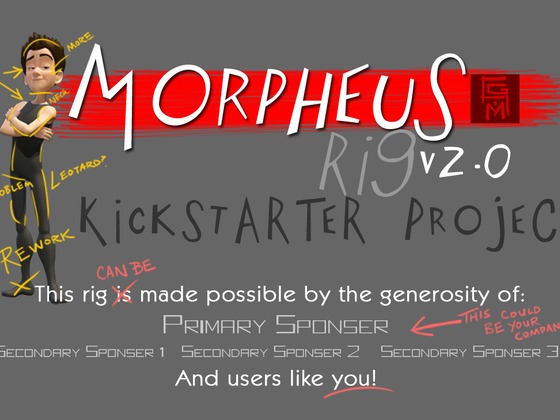
Morpheus 2.0 on Kickstarter

Hello all my friends from Ex'pression College

I'm David Latour, (former animation instructor) jumping in with a bit of exciting news:
Morpheus is a much-used and well-loved rig in need of a bit of a tune-up (I'm dreaming of better finger/thumb controls, and no more exploding legs.) Return a bit of the animation goodness to Josh and throw in five bucks to make this project happen.

Thanks all.

PS - Hey Joe! Delighted to see the blog still gets used 
Spread the word and support this great project.

Sunday, October 7, 2012

new animatic

hi everyone,
here's my new animatic. I hope this works better then the previous one

Stephanie Lin

It's either realy cold, or my fingers inverted

So im not sure whats going on here, I re-opened my walk cycle file and now my fingers are all weird. My face pose was not there either but the main focus is the fingers cuz i can just re-pose the face.
I haven't touched the rig, or anything above the hip since my blocking poses, so im not sure what happened.
Any ideas as to how to fix it?

Saturday, October 6, 2012

Hey, So with my walk I wasn't putting much attitude. So I tried to push it here. I'm still not exactly sure what to do with the head though. If you guys have any ideas on what I could exaggerate and what I could tone down it would be awesome.

thanks

Friday, September 28, 2012

Story Revision

Hey everyone. I wasn't really happy with how my story was going, so I'm trying a new angle with the same dialogue clip. Here are some rough thumbnail boards with my new story idea.

The idea is to have to have a man lay down and relax for a little. The camera will pan to reveal a salesman laying next to him. The man tries not to overreact but ends up being too creeped out by the salesman to the point where he runs away, and the salesman stays on the bed and sulks his head. I want to wait till the end to reveal that they are in a mattress store. I was thinking about putting a name tag on the man which could add to his sort of mystery until the reveal where it makes more sense.
I would greatly appreciate any feedback or story ideas or anything.
Thank you
-Scott

Tuesday, September 25, 2012

After putting some thought into it, I've decided that a better way to do things is to be more subtle about it, using a slow zoom out that reveals that the plane is in big trouble. So to start with, the camera is close to the pilot, and you can see blue sky through the window behind him, as he's addressing the passengers. Then as the camera pulls out, you start to see landscape appearing in the window behind him, until finally its fully zoomed out, and we see that the yoke isn't attached to the plane at all, and its clearly nosediving towards the ground.

I don't have access to a scanner and can't show my panels, but I threw this together in photoshop to give an idea.


Hi friends, here are my new storyboards. Still the same pooping baby story. This time I focus on the baby's 
reaction when his mom asks him "are you poopy?"
the story starts with the baby playing his toys.
All shots are mom's POV so we never see her whole body.
Do give me critics. Thank you


Greetings fellow classmates.  

I have been working on my storyboard over the last couple of days and figured I will post my current work in progress for a check in.  After much thought I have made the decision not to go with the day care idea with my current clip and instead decided to stick with my military bootcamp idea.  I am in the pencil phase right now and will be cleaning this up and inking the panels.  The idea of how this will play out will be similar but I believe that the recruit who isn't listening to his Sergeant is infact the character at fault here making this tension between the Sergeant and the recruit.  The Sergeant will be walking from side to side discussing what his recruits will be doing.  The recruit will be still making questionable faces but as a form of karmic justice it turns out the Sergeant realized that he has been doing this the entire time.  

Thanks and I look forward to your responses,

- Michael G.


Wednesday, June 20, 2012

Hello everybody,

Hopefully you guys are making progress.  I seem to still be getting a lot of twitiching on my arms and can't seem to figure out why.  I have checked the parent controls on the gimbals and they are all set correctly.  I have tried to check all of my inbetweens and I still haven't had very much luck.  Any ideas?  I bet you are all asleep or burning away on your final projects so no big deal.

Thanks again,
- Mike

Tuesday, June 19, 2012

Question on Motion Trails

Hey when I have a motion trail up can it update the motion trail from the rotating or not? Or does the motion trail only update from translating?

view port 2.0

Hello everyone I had a quick question for whomever reads this , why does my whole scene turn black when I click on the depth map shadow box under the depth map shadow attributes? I am using a directional light in my  scene because my scene  is out doors. thanks guys.

Monday, June 18, 2012

Grade Update - term 412

Click to view Larger

Here's the grade update.  Looking forward to your final projects on Wednesday!
Here's the entire thing, you know the drill...give suggestions.

Sunday, June 17, 2012

So this is the lip synch section that I'm working on. I feel that there's something wrong near the end where he says "Would you be my friend?", any suggestions would be greatly appreciated.

Broken rig

Hey everyone,

I seem have encountered a serious problem. As I've been polishing off my lip synch for one character in my scene, I have turned off the visibility of my other characters in the reference editor to optimize processor power and to allow Maya to playback in as close to real time as possible. When I turn the visibility of one character back on, the rig appeard to be broken and centered to the grid. What happened? And how can I restore my original animation?

Friday, June 15, 2012

Salutations fellow AVE compadres, I have been working on trying to clean up my poses and sell the motion but sadly I have been running into gimbal locks with my elbow controls even after using the Euler filter.  Any ideas on how to fix that?

Lemme know,

- Mike Goodwin

Wednesday, June 13, 2012

This still needs work any suggestions guys.
Y'all know the drill, give me your critiques and suggestions to make this better. I think there are some transitions that need work but I'm not entirely sure where.

Monday, June 11, 2012

Since I'm sure Joe won't be able to go through everything that's wrong with this in class, I'm asking everyone to give some input. I have a couple ideas on some areas but, fresh eyes never hurt to have.

Saturday, June 2, 2012

GradeUpdate - term 412


Remember that you can attend the Saturday figure drawing classes for extra credit.  Orange means late, or resubmission.  In the event that I made a mistake or you want to discuss the grade, let's take a look Monday.
~Joe

Friday, June 1, 2012

Hey everyone, heres a walk cycle in progress....needs lots of work still!, what do you think?

Wednesday, May 30, 2012

Morpheus changing colors

Hey everyone,

So as I was set dressing the scene for my final animation, I box selected some props in the background behind my rig, and accidentally selected the rig as well. In the process, his skin turned black! I've been working in the same project folder this entire time with all the textures properly assigned and organized in the sourceimages folder, and I haven't encountered this problem until now. I tried reloading the referenced rig, and nothing happened. I tried saving out and reopening Maya, and nothing happened. Why did this occur, and what can I do to fix it?

-Jenny

Walk cycle in progress

This is my final walk cycle and I would like some input on what I could do to make this better,especially with the ponytail.

Tuesday, May 29, 2012

Walk cycle: referencing scenes

Hello all,

I'm having issues with referencing my walk cycle into new scene. When I save the final scene of my walk cycle, reference it into a new scene, duplicate that reference, translate and rotate those references to view 3 sides of the animation, and then hit the play button, an error message comes up reading: "No object matches name: Laughlin_Jennifer_WalkCycle_19:head_DynDriver" and the duplicate references become centered to the middle and ontop of each other, while the animation appears to the blocky and unsplined. The scence I referenced had a version number of 17, so I'm not sure why Maya wants a version of the scene that doesn't exist. Why is this occuring? What can I do to fix it?

Good luck with your final walk cycles term 412,
Jenny

Saturday, May 26, 2012

Walk Cycle for critique

Hey guys so I finished my arms on my walk cycle and I'd just like to have some final feedback on the full body walk cycle before the next class. Thank you in advance.


Wednesday, March 28, 2012

Michael Patrick Final


Nick Dolph final


Here it is guys, the culmination of 5 weeks of hard work

ANIM _FINAL

final project

Uren Animation 2 Final


So here it is...

Vanessa Victorio Final Animation

I'm positive about my final piece but there's always room for improvement. I had a great time working and animating on this piece.

Tom Webster Final Render

http://youtu.be/0RRt3Zup6vE

wpapstein final render

"A man and his toys" - by Winston Papstein
Hope you enjoy it!

Jenny Bach Final


Cindy - Final Animation

Hi! Here's my final animation as of today.

A Look in the Mirror

Saturday, March 24, 2012

Some leg and face work

I worked on keying my 2nd character coming in, some of the facial animation and my 1st character's legs. Let me know what you think.

Friday, March 23, 2012

Grade Update - term 212

Here is a grade update for term 212.  There may be a few resubmits missing here.  If I graded a resubmission for an assignment it is orange.  Late assignments are also orange.

Don't forget that you can go to the figure drawing class for extra credit.

~Joe

Thursday, March 22, 2012

Cindy - critique change nightmare.

Hi. Soooo... I made changes to my animation based on today's critiques and suggestions. And it's been a nightmare! I think I made it much worse than I ever had it before. Should I just start over on splining and fix this in stepped? I'm almost thinking about starting over on what I had it previously in stepped.


Wednesday, March 21, 2012

Cindy - Adjusted keys

Hi, I guess it's kind of late to be getting feedback but here are my new keys. It's kind of changed a lot. Anyone figure out how to make quick transitions without doing much overshoot for each one to avoid making them seem too similar? If I cushion, the transitions are still too fast so there's not enough physics of the body, so I have to overshoot. However, if I overshoot for all the transitions, they seem too similar. Any suggestions?

Oh, and I already started splining, so I realize that in the graph editor, I can adjust these transitions a bit. However, I still think some of them don't cushion enough (not enough frames), or should have overshoot. 

Tuesday, March 20, 2012

Maya is freezing on load

Hello,

So I set my project folder. Open my scene and maya loads all the references until the last reference, and freezes at 98%.

So I tried selective loading and took off the last reference which seemed to be freezing. Then maya froze on the new last reference.

If thats confusing, I had five refernces, maya froze on the fifth, then i took the fifth off, and maya froze on the fourth.

I can open each scene independently without maya freezing, but I cannot open the main scene with the references.

Even if I just load one single reference, maya freezes. I can not open my file to work on it! What to do!


Thanks

Michael

Monday, March 19, 2012

Winston final camera

Here's the whole thing as of now (I'm just starting on finalizing the chest.)

Sunday, March 18, 2012

Closeup camera shot

Here's what my opening looks like (I still have to fine-tune the timing a bit)
Let me know what you think of it.

Thursday, March 15, 2012

Catlin's Day Out


I need help with adjusting my composition without moving my rigs.
I ran into a frustrating problem: I tested my animation out in Maya and it's looking good. But when I playblast, my clip plays up until a particular frame and then freezes (yet the audio still plays normally.) Can anyone help me?

Cindy - Timing and transitions

Hey! I'm struggling with a lot with timing and trying to fit stuff in the time allowed. Also, I'm trying to vary up timing between poses. Need to figure out how long to hold certain poses and how quick to move between different parts. Any tips?

Monday, March 12, 2012

Lecture 7

Hey Joe,

If you're at school tomorrow, (tuesday), would you put lecture seven on the server?

Preeeeettttyyyy preeetttyyy please!

Thanks!

1st pass


this is a first run for this. I haven't rigged the sock puppet yet thats a work in progress but this is also a very rough cut


Sunday, March 11, 2012

Poses Pass2

Hey guys!  Here's my improved poses playblast.   I know it's really hard to see the anticipation keys without scrubbing, but I've been having trouble getting it timed.  I want to select all of the controls at once and move the keyframes to the correct places, but the BO button doesn't select anything on my rigs.  And manually selecting each control has yielded messy results.  Any suggestions?

How to animate before the walk cycle

Hello everybody.

I am trying to put poses and animation before the walk cycle, and when I use plus to add empty frames before the walk cycle, my rig jumps across the screen as if he is at the end of the walk cycle.

Is anyone animating before there walk cycle, a lead up into it? Did it work ok? Did you have problems?

Any help is greatly appreciated.

Morpheus Joint Rotation

So I just realized that I have rotation on some of my joints. I figured out that when I rotated the placement control it rotates my feet and root joint, changing my Z axis. Are you not supposed to rotate the placement control? I can fix the problem by re-referencing the rig and copying the anim, but I have to rotate him in place using the root and feet controls, which means that they have intial keys. Thoughts?

Cindy - camera movements

Hi! I guess I am terrible at camera stuff. Can you guys look at the camera movement for my first shot? I have it so she's more towards the middle and then it pans as she walks. when she anticipates and looks happy I wanted it to seem like she saw something she liked on the shelf, but then the camera moves and reveals she's just looking at herself.

Do I not have enough frames to make that come across? I don't know if I have enough time for the camera to cushion. Please give me feedback!


here's it rendered with the reflection.


Friday, March 9, 2012

Normal Speed to SlowMo

I'm applying the 'Transfer Z' of the foot over to my main controller, but I got a problem;
It works for only the first half of the cycle. I followed the tutorial, but
I'm not getting the same result and I'm stumped on how to fix it.

Thursday, March 8, 2012

Can't seem to figure out something..

Hey everyone, I'm trying to cycle my walk foward with translating the Translate-Z curves on my waist root control and the two foot controls. I can get the feet to move forwards but the body stays in place. I have gone to older save files and the same thing happens to me and I can't figure it out. Anyone else having this problem? Help will be appreciated!

Cindy - Walk forward

Walk looks different moving forward. Let me know what you guys think. Is she leaning too much? or her spine looks too stiff? Her chest is sticking out too much?

Cindy - Walk forward

Cindy - Walk Splined

Hi! Here's my walk with the arms. I had the arms swinging more in rotate z before, but after looking at some videos, confident model-ish walks have them keeping their arms more outward but still close to the body. ANYWAY, let me know what you guys think.


Time to move her forward!

Tuesday, March 6, 2012

Cindy - Walk: Leg & Torso

Here's my walk with splined legs and torso!

Let me know if you see anything weird!

Also, I'm cycling frames 1-25. Do you guys see some hesitation in the cycle though? I'm wondering if my computer lags when I play it, but I'm not sure what might be making a hiccup. The frames match up between frames 1 and 25.

Sunday, March 4, 2012

Uren_playblast

He is supposed to be angry. Before I changed his face, he looked like a stoner on a jaunt.

I think the arm angries don't coincide with the leg angries and the leg angries need to be more exaggerated.


Saturday, March 3, 2012

Cindy: Stepped_walk

The girl character in my animation is confident and feminine, so I gave her that sort of walk.

Though, I was wondering if I should give her a slower, looking around a store and browsing walk vs. this confident determined one.

Please give me feedback!

Thursday, March 1, 2012

Uren_Playblast


The animatic is 24 seconds long so it clearly needs to be cut down. I like the timing of it, but I don't know where to cut it down.

Any thoughts?

Tuesday, January 17, 2012

Fart Final

Mackenzie's Final

Final

Bryant - Unfamiliar final

Coffee Final


I was hoping to have been further along. Learned a lot.
Thank you

Hower Final: Urbanite

Final Animation

AVE Anim2 Final


Smaller projects look better.

Term 911 - Grade Update


Here's a final update, so you know where you stand.  You have until 4pm to resubmit your walk cycle and video reference if you have it.  Otherwise, keep chugging away on your final projects and make them as good as they can be!

This being the last day of class, I will ask everyone to upload your final project to this blog for the next class to check out.  This will be part of your participation grade.

~Joe

Monday, January 16, 2012

Final father

I've cleaned up the huge gimble problems that where happening to the father. There are some really slow parts in the animation and I'm trying to figure out how to speed up a few spots. Should I move the frames closer to each other? Or would I have to add some more frames? If you see anything else I should fix, please let me know. Thank you! :)

Progress on Slim

I've cleaned up the bigger glitches that were happening on Slim, fixed the lip sync, and added a little flip of the head when he raises his eyebrow. Any feedback would be appreciated! Personally, I can't see much because I've been staring at this for so long... any fresh perspective would be fantastic.

Anyway, here's my progress! I haven't worked on Hefty yet, but am planning on doing so momentarily.


Saturday, January 14, 2012

Reference Issue


So... when I turned Hefty back on in the reference editor, something odd happened. I'm not sure how, since I've only touched Slim in these past few iterations. Sometimes it feels like Maya is trying to play a sick game that's somewhere between twister and charades.

Friday, January 13, 2012

Shader Entertainment


Didn't you know that having empty eye sockets and invisibility-leotards are all the rage?

Not presenting any issues with animation or with any functions... it just looks creepier than Regan from The Exorcist.

brow/lipsync progression


still working on the dip at the end, but any input on the lip sync/anything else is much appreciated!

Wednesday, January 11, 2012

arm spline

I have tried to change the acting make it more subtle. I feel like my work progress is going the opposite direction

Tuesday, January 10, 2012

Arm/Brow Progress

I haven't done much with the brow... just little things, like stopping the eyes from flying backwards and such. Now that I've playblasted, the next thing I'll do (a little after the fact) is make sure my moving holds are in place... Slim hits a few invisible walls in the first bit.

Anyway, feedback is much appreciated!


Spline 2.0

Here is what I have for now. I have quite a bit more to do with the head and even more to do on the arms. I keep changing things, for the better, but it causes set backs. Arms have been the most problematic as they slide around. Hopefully I am slowly coming around and figuring this all out. Arms are the trickiest for me, I need more overlap knowledge, thankfully How To Cheat in Maya 2010 has been a great resource. Please let me know if you see something that can be better or if you have insight on something I have that is wonky in my animation. I will have facial progress up very soon, but I would like to have a solid grasp on my body motions which I am working on no. Thank you all!


Monday, January 2, 2012

Torso Spline


Suggestions and critique are much appreciated!

Can not turn off heads.


Hey Joe,

If you are up and online, could you take a look at this screen shot for me. Trying to turn off my heads, and not having luck. Obviously the limbs are able to.

Thanks,

Jimmi

Sunday, January 1, 2012

shot of outliner and lost constraint.


sorry, this is the third of three Joe...start from the bottom to get the description LIST of technical problems I am having.

constraint loss and hand control malfuntion.


This a file that I worked for over a half hour before saving AS, and the constraints were fine. Now it just goes off (outliner still shows positive on constraint.) and the hand control flips upside down.

Major gliches and constraint problems.


Hello all, this a bunch of technical stuff that I have been battling for the past 5 hours.
1. During a session last night of copy and pasting of key frames (right click, copy, right click paste) I accidentally hit cntrl v, and a copy of the character rig appeared above my character. I deleted it and now I keep getting the error message seen in the .png provided.
2. Today (this afternoon) I started having a reoccurring problem with key frames. I decided to re work all my initial poses after watching with fresh eyes. I am deleting keys, only to have them show back up 5 minutes later. Very frustrating.
3. My constraint/parent for the soda cup is randomly deciding not to work.
4.My UIs for Morphius do not work, so I am using select sets on my shelf. One character is working fine, but the one having constraint problems (not the one that had duplicate controls) is showing only one channel in pink as having keys, also provided in the .png.

I know going back to redesign my key frames would be a hassle, but it was necessary as the originals were very weak. But I have spent more time re-opening files and wrestling with constraint problems to have been way further than I am now. This is for the midterm grade which is important, but also necessary to proceed with splining.

Please advice if you can. I hope my descriptions are concise enough and not confusing.

Thank you for you time.

Jimmi